How Amazing Secret Santa Works: Draw, Emails and Anonymous Chat

In short
Amazing Secret Santa is a free online Secret Santa generator in five languages. The organizer adds each person's name and email, optionally sets exclusions, then sends the draw. Every participant gets a private email with their match and a link to an anonymous chat, while the app never shows the pairs on screen, not even to the organizer. There are no accounts and nothing to install.
| Question | Short answer |
|---|---|
| What does it cost? | Nothing. No ads, no premium tier, no account for anyone |
| How many people can play? | 3 to 30 per draw |
| What does the organizer enter? | Each person's name and email, plus optional exclusions and event details |
| What does each person receive? | A private email with their match, the event details if you added any, and a link to the anonymous chat |
| What does the organizer see? | Whether each email was sent, never who got whom |
| Which languages are supported? | English, Italian, French, German and Spanish |
Somebody usually ends up holding the list. In a draw run by a person or a spreadsheet, the organizer sees every match, which makes them the one participant who can't be surprised, and the one everyone asks when a name gets lost. Here's how Amazing Secret Santa works, and why the organizer never ends up holding that list.
This is the tour: the three screens where you add people, set optional exclusions and send the draw, then what each person receives, how the anonymous chat works and what the tool deliberately doesn't do. The screenshots use four made-up people, Alice, Ben, Chloe and David, with example.com addresses. Their gifts are imaginary; the clicks are real.
What should you have ready before you start?
A name and an email address for everyone playing. Everything else is optional, though a little preparation saves a round of "wait, what's the budget again?" messages.
- Names and email addresses for 3 to 30 people, one address each, belonging to an inbox that person really checks.
- Pairs to keep apart, if any: partners, roommates, or a manager and their direct reports.
- The practical details: a budget, the exchange date and the place or theme, if you've settled them.
- Whether you play yourself: you can, and the app won't spoil the surprise.
Still collecting emails? The invitation wording for email and group chats is ready to paste. When the list is ready, open Amazing Secret Santa and press DRAW.
Your draft stays in your browser while you work, event details included, so a page refresh won't lose it. Finish the job on the same device.
Step 1: Add everyone who is playing
Step 1 is a list: you add each participant's name and email address. A draw needs at least 3 people and supports up to 30.
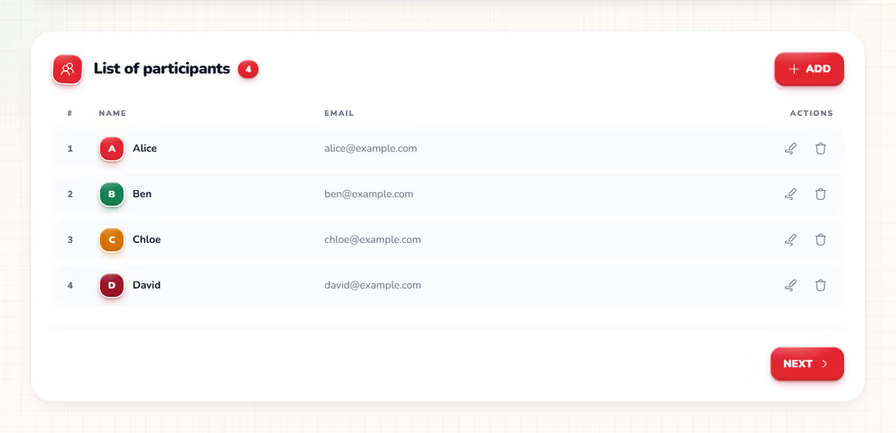
Press Add and a small dialog asks for the name shown in the email and the address it goes to.
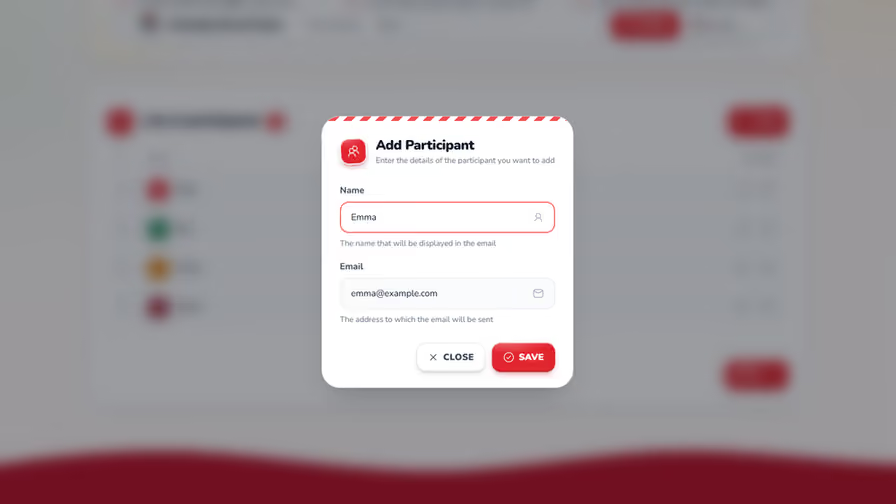
Three small rules are worth knowing before you type in a whole office:
- Names must be unique within the draw, ignoring capitals, and can be up to 50 characters. If you have two Annas, make one of them Anna B. or add a nickname.
- If an email domain looks mistyped, such as gmial.com, the app suggests a correction. It can't know whether the inbox itself is right, so read the addresses over once.
- To play yourself, add your own name and email like everyone else.
Typo, or a change of mind? Click a person's row to edit their details. The edit dialog also has a Delete button, which asks you to confirm first.
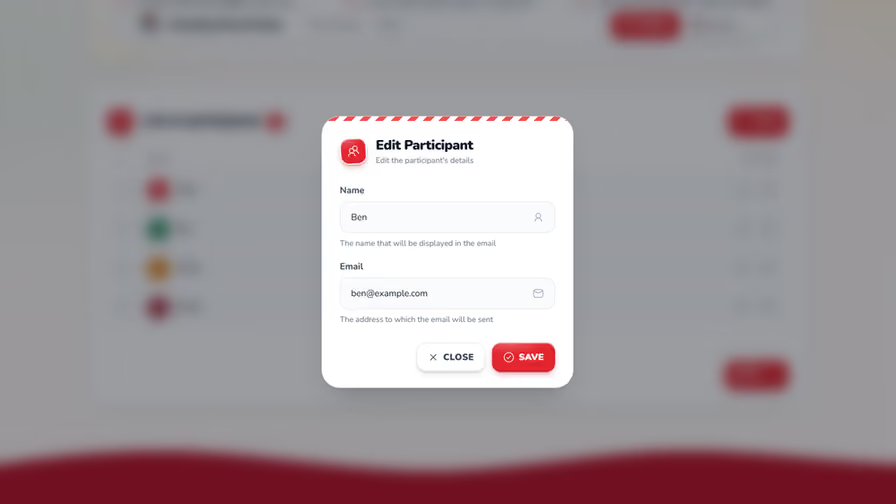
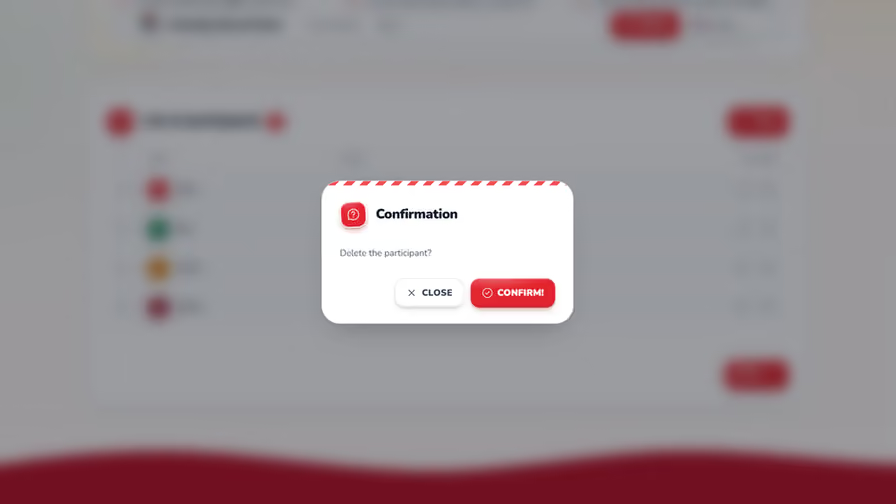
Three is the minimum, because with two people the only possible draw would be a mutual pair, and the draw never produces those. Thirty is the cap for one draw. For tiny, odd-sized and large groups, including how to split a group past 30, see how many people you need for Secret Santa. When everyone is in, press Next.
Step 2: Keep couples and roommates apart (optional)
Step 2 is optional: for each person, you can tick the people they must not draw. If nobody needs a restriction, press Next. Otherwise the draw only produces pairings that respect every tick.
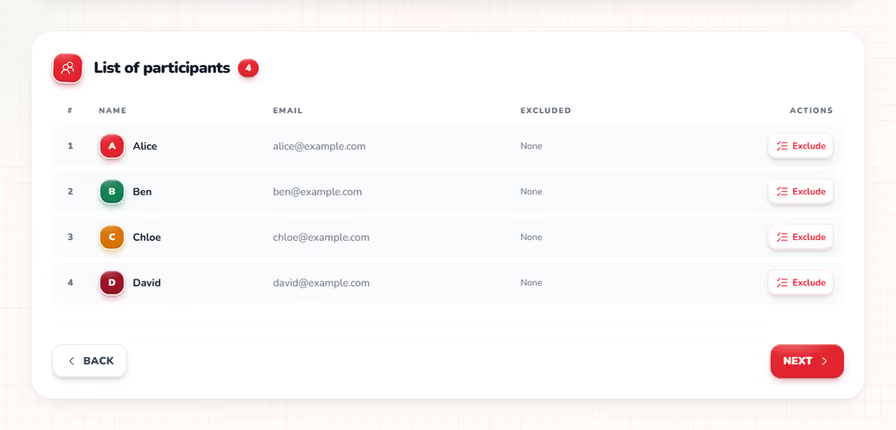
Typical candidates are partners who already shop for each other, roommates, siblings who swap gifts anyway, a manager and their direct reports, and last year's match, which you tick by hand because the app doesn't remember past draws. Secret Santa exclusions has the full list and how many ticks are too many.
Click a person's row to open a dialog with everyone else in the draw. In the screenshot, Alice has Ben ticked.
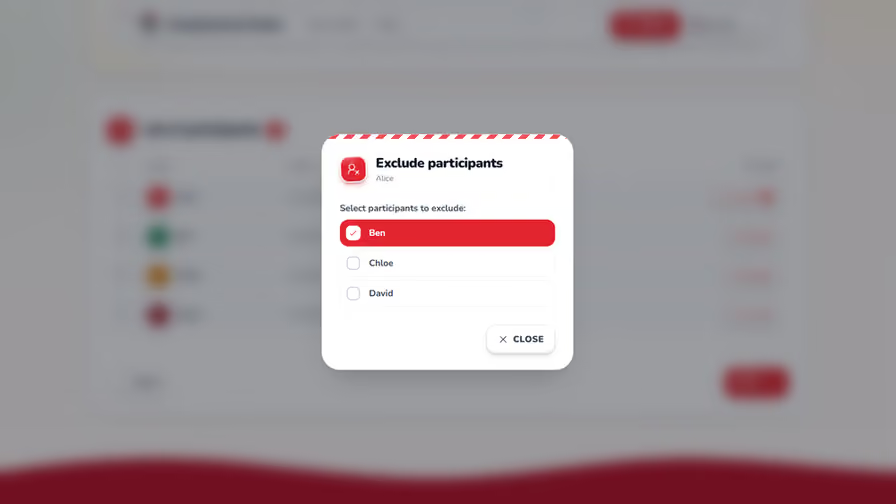
Ticks save as soon as you make them, so you can simply close the dialog. The list then shows who each person can't draw.
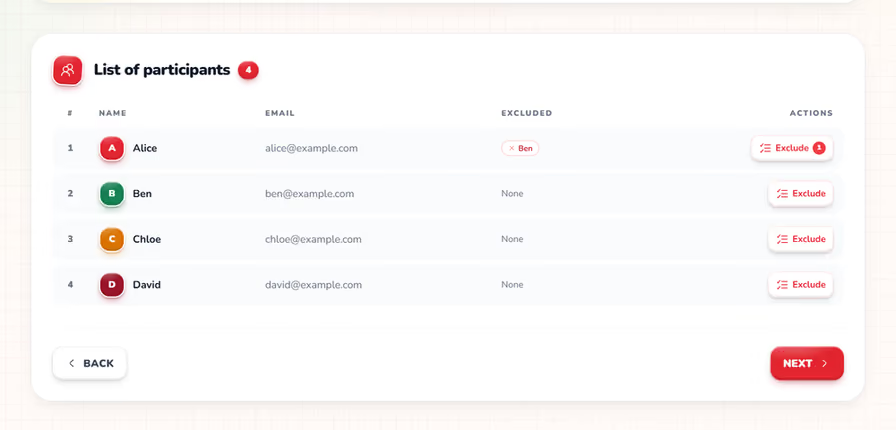
Exclusions work in one direction
Okay, this is the one detail that trips people up. Each person has their own list, so a tick on Alice's row doesn't touch Ben's: Alice can't draw Ben, but nothing stops Ben from drawing Alice.
| What you tick | What it prevents |
|---|---|
| Alice excludes Ben | Alice drawing Ben. Ben can still draw Alice |
| Ben excludes Alice | Ben drawing Alice. Alice can still draw Ben |
| Both ticks | Neither of them drawing the other |
To keep a couple apart, open both people's rows and tick the other person in each dialog.
What happens if you exclude too many people?
The app warns you right away: if your exclusions would leave someone without a valid match, step 2 says so, and you either remove some exclusions or add participants.
Small groups cause most of the trouble. With three people, the only valid draws are two circles: Alice gives to Ben, Ben to Chloe and Chloe to Alice, or the same circle backwards. One exclusion leaves a single possible draw. Two can leave none: tick a couple in both directions and both partners can only draw the third person, so that couple needs at least four players. In rare borderline cases, usually many exclusions in a small group, the draw can still fail when you press Send. Removing one exclusion and trying again usually fixes it.
Step 3: Add the event details and send the draw
The last screen takes optional event details, shows a final summary and sends the draw: you press Send, pass a quick human check and confirm.
Event details: budget, date and a message
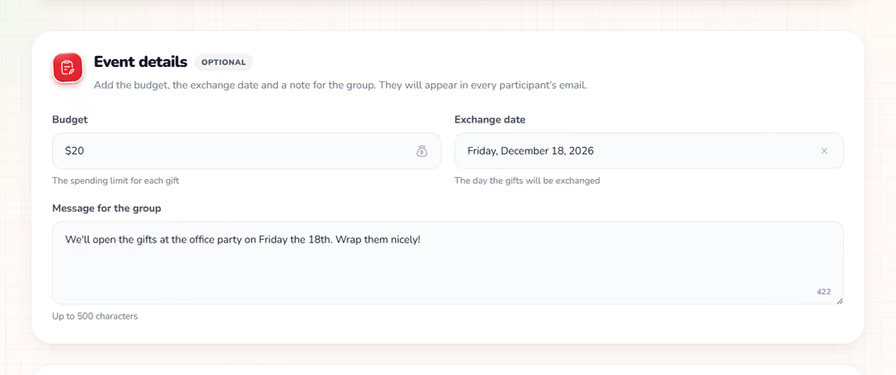
The Event details card at the top is marked optional. Whatever you put in it appears in every participant's email, so nobody has to dig through a group chat for the rules.
- Budget: up to 40 characters, so “$20 max” or “$15-$25” both fit.
- Exchange date: picked from a calendar, up to two years ahead.
- Message for the group: up to 500 characters, with a counter in the corner showing how many are left.
Use the message for whatever doesn't fit a field: the place, a theme, how to wrap, whether shipping counts toward the budget, and a nudge to check the anonymous chat before shopping. Not sure which number belongs in the budget field? See typical Secret Santa budgets for work, friends and family.
The summary, the human check and Send
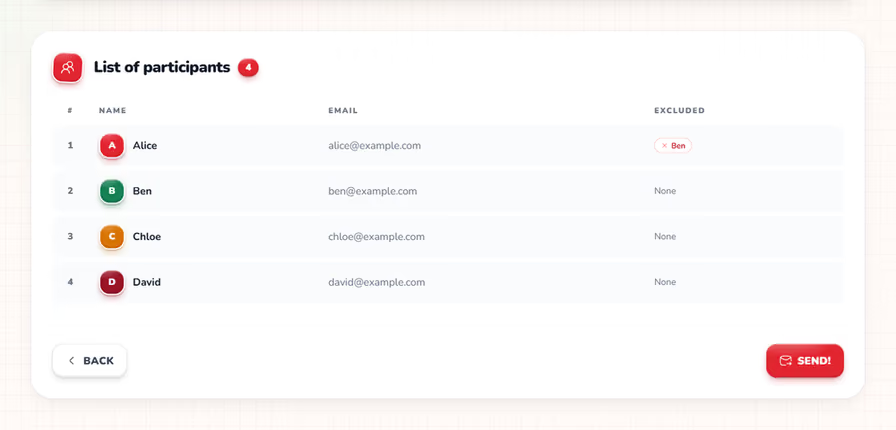
Under the details, the summary repeats every name, email address and exclusion one last time. Read each person's exclusions twice, because that's where mistakes hide. When it looks right, press Send.
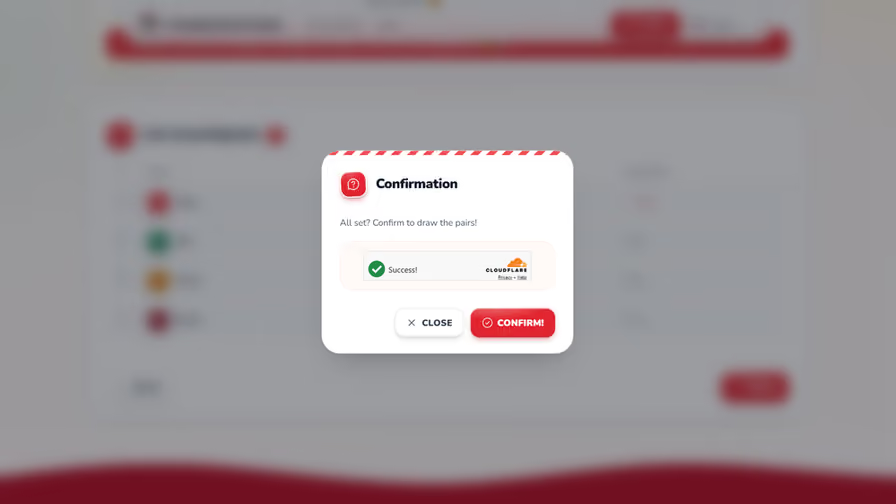
A confirmation dialog appears with a quick Cloudflare Turnstile check, the app's way of confirming you're a person. It usually completes by itself; in the screenshot it has already said Success. Press Confirm and the draw runs. Because the app never shows the pairs, you can't tweak a result afterwards: changing the draw itself means a new draw, so this is the moment to be sure.
What the draw always does
Nobody draws themselves, and the draw avoids mutual pairs: if Alice draws Ben, Ben won't draw Alice. Otherwise the exchange would shrink into a private two-person swap, which many groups find less fun. Every exclusion you set is respected too.
The result isn't necessarily one big circle, and the group size can be odd: everyone gives one gift and gets one, so nobody sits out.
What happens after you confirm the draw?
The app emails each participant their own match and shows you whether each email was sent. The pairs never appear on screen, not even for you.
What you see as the organizer
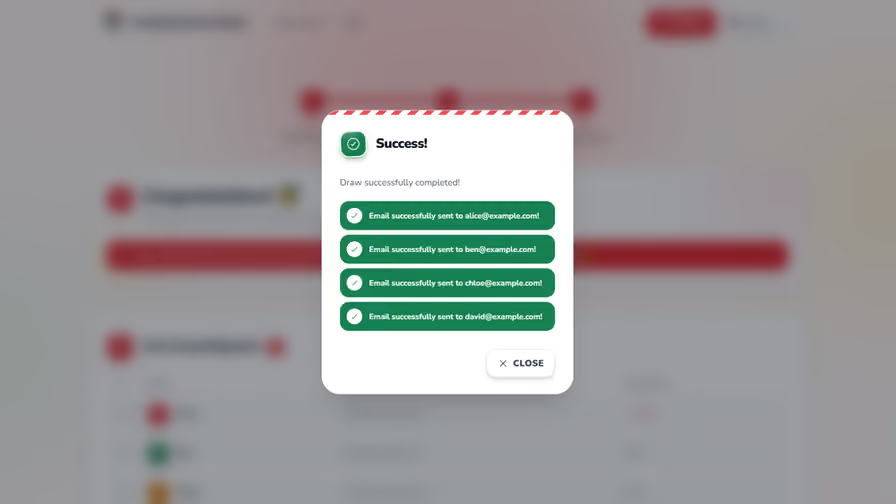
A success dialog lists every address with a green line reading “Email successfully sent to…”. If a send fails, for example because of a mistyped address, that address shows up as a failure instead. The app can't resend a single match, so once you've corrected the address, the fix is a new draw for everyone (tell the group to ignore the first email). Sent isn't the same as delivered, though: the app can't tell whether a message reached the inbox or landed in spam.
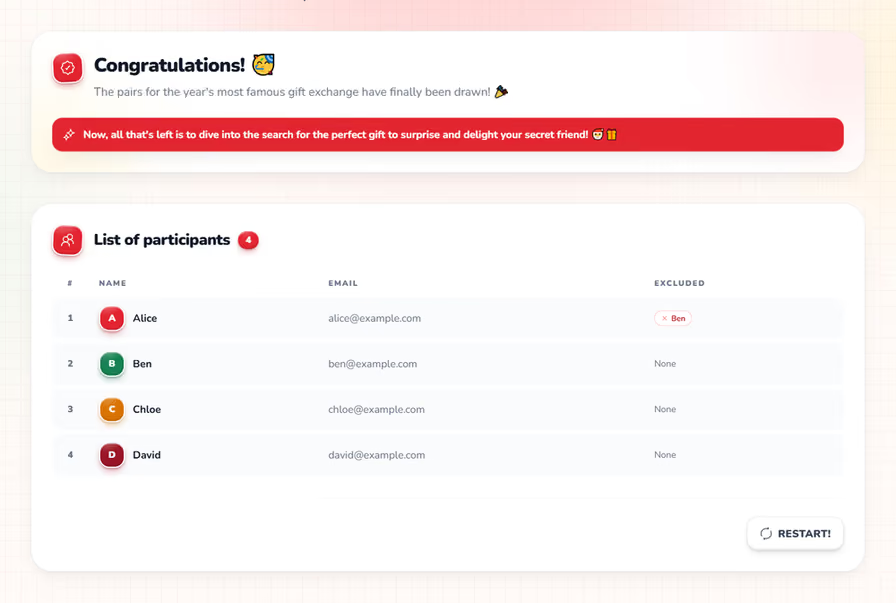
Close the dialog and you land on a completed page: the participant list again, still without any pairs, and a Restart button if you want to start over.
What each participant receives
Each participant gets one private email, with three things in it:
- Their match: the one person they are buying for.
- The event details, if you added any: budget, exchange date and your message.
- A private link to their anonymous chat, which opens in any browser on a phone or a computer.
Every email is written in the language you were using on the site when you pressed Send, not in each person's own. For a mixed group, choose the language most people read and put anything critical in your message.
If someone says nothing arrived, ask them to search their inbox, spam and promotions folders first. If the email is truly gone, it's the same fix: a new draw for everyone. The other after-the-draw fixes are in what to do when someone drops out or loses their email.
How does the anonymous chat work?
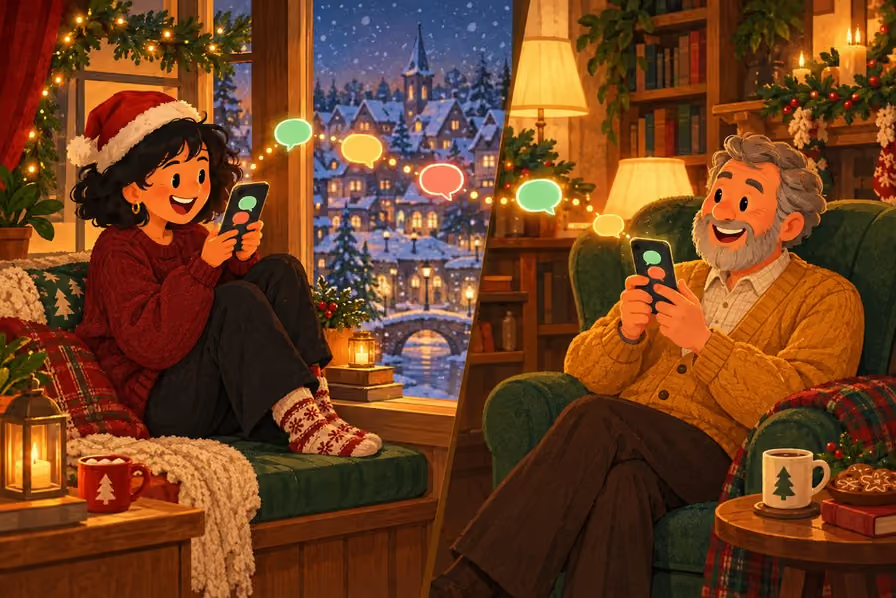
Every email includes a private link to an anonymous chat with two conversations: one with your Secret Santa, who stays anonymous, and one with your gift recipient, to whom you stay anonymous. It works in any browser on a phone or a computer, and there is nothing to install.
| Conversation | Who stays anonymous | Typical use |
|---|---|---|
| With your Secret Santa | Them: you never learn who is buying for you | Answering their questions about sizes, allergies or a wish list |
| With your gift recipient | You: they never learn who is buying for them | Asking what they like, checking sizes, dropping a hint |
A first message to your recipient
Hi! I'm your Secret Santa. Is there anything you'd love to get, or anything I should avoid, like allergies, sizes or colors you can't stand?
I'll keep it within budget.
Plan for one catch: the chat sends no notifications. No email or push arrives when a message comes in, and a message is only seen when the other person opens their own chat link. Tell the group, in your group chat, to open their link now and then, and definitely before they shop.
The chat opens only after the draw, because its link arrives in the draw email. If you want wishes earlier, collect them first with a Secret Santa questionnaire.
What doesn't Amazing Secret Santa do?
It sends no reminders, can't look up or edit a pairing, has no wish-list builder and doesn't handle gifts, shipping or payments. The table covers the gaps that have a workaround.
| You might want | What the app does | What to do instead |
|---|---|---|
| A reminder email | Sends none | Message the group about a week before the exchange |
| To look up a match | Never shows the pairs, even to you | Ask them to check spam; if the email is truly gone, run a new draw |
| To fix one pairing | Can't edit a single pair | Redraw only if nobody has shopped yet; otherwise see below |
| More than 30 people | Allows up to 30 per draw | Split by team, department or family branch and run one draw per group |
| Emails in several languages | Writes them in the language you use on the site | Pick the main language and add key details in your message |
| Delivery by SMS or WhatsApp | Sends email only | Post a note in your group chat saying the emails are out |
Inside the app, a new draw is the only way to change a pairing, because it can't show or swap a single pair. If people have already shopped, a redraw wastes the gifts they bought. When the problem is a dropout, closing the gap after someone drops out fixes it without exposing the other matches. And if the app asks you to wait a minute before drawing again, that's its limit of one draw per minute, not a fault.
Who is Amazing Secret Santa a good fit for?
It suits families, friend groups and teams of 3 to 30 people who all have an email address, for Christmas or any other occasion. Everything runs through email and a browser, so people in different cities can play as easily as one office; for the shipping and the call, see how to host a virtual Secret Santa.
It's a weaker fit in two situations. If someone has no email address, they can use a relative's, though then that person will see the match. And if you want the ritual of paper slips in a hat, in the same room, a hat is hard to beat. Not sure which suits your group? See how a hat, a spreadsheet and an app compare for drawing names.
What should you do right before you press Send?
Tell the group that a draw is coming and that their match will arrive by email, so nobody mistakes it for junk. Then draw names online for free, with no account and nothing to install.
Once the emails are out, there's nothing left to do but wait for the day. When it comes, Secret Santa reveal ideas can turn the unmasking into a game of its own.
Frequently Asked Questions
5Anything that helps you shop: sizes, allergies, colors they dislike, hobbies, a wish list and, for a remote exchange, a delivery address they choose to share. Keep your wording neutral and skip details that only you would know, like a joke from last year's party.
No. After the draw the app only tells you whether each email was sent or failed, and it can't confirm that a message reached an inbox. There is no dashboard tracking who opened what, and no reminders, so ask in your group chat a week before the exchange whether everyone has their match.
It's a quick Cloudflare Turnstile verification that confirms a real person is pressing the button. It normally finishes on its own, and you press Confirm once it shows Success. The app also allows one draw per minute per person, so redrawing straight away may ask you to wait a minute.
Yes, it's free: no ads and no premium tier. Nobody needs an account or a login, neither the organizer nor the participants. You enter names and email addresses, press send, and everyone receives their match by email. There's no app to download either, only a browser and an inbox.
The site works in English, Italian, French, German and Spanish, and the draw emails go out in the language you're using on the site, one language for the whole group. It isn't tied to Christmas: any gift exchange works, from birthdays and office parties to Hanukkah, Kris Kringle or amigo invisible.